Recently, I was working on a new deployment of VMware Cloud Foundation (VCF) version 9.0.0.0. The process was going smoothly until it reached the stage of configuring VCF Operations fleet management.
The deployment failed during a security step. I want to share the error I faced and the simple steps I took to fix it.
First the problem: In the VCF Installer interface, the deployment stopped at the following task. (Note: The screenshot below was taken after applying the fix, so you see the task status showing green instead of the original error.)
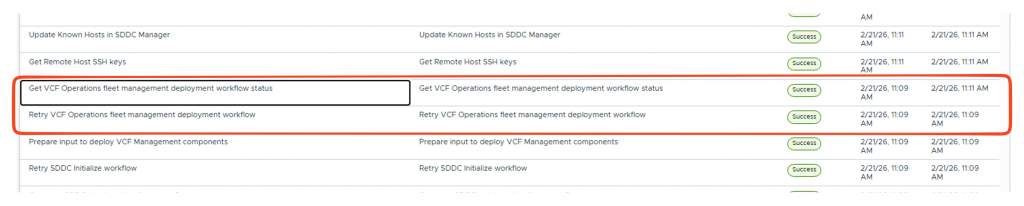
After that, I logged into SDDC Manager to investigate. The status showed an error, and although the main message was a generic “500 A problem has occurred on the server,” the detailed helps me to find the real issue. (Again: The screenshot below was taken after applying the fix)
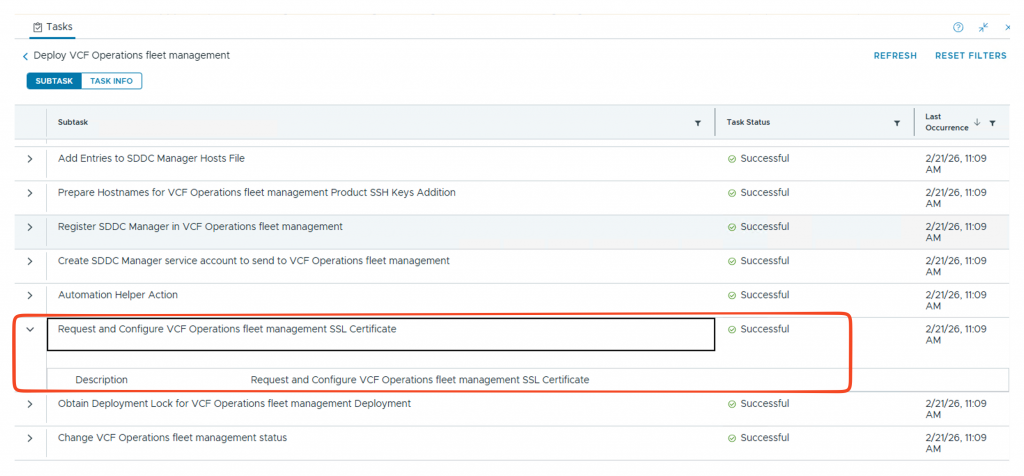
The main and detail message was:
Cause: 500 : "{"status":"","message":"CustomTrustManager Object creation failed","errorCode":"LCM_SETTINGS_API_ERROR0000","errorLabel":"Unknown Settings error.","recommendations":[]}"
This error code (LCM_SETTINGS_API_ERROR0000) usually means there is a problem inside the Aria Suite Lifecycle or what we call it today, Fleet management appliance.
Probably, the internal database that holds trusted certificates “truststore” has likely become corrupted or unreadable. Because the system cannot read this file correctly, it fails to create the necessary security objects.
I found a Broadcom KB article describing this exact error. It states this error happens during upgrades when FIPS is turned off. However, my environment was a clean install of VCF 9.0.0.0. I tried the workaround anyway, and it fixed the problem!
https://knowledge.broadcom.com/external/article/411305/deployment-of-management-components-fail.html
Solution
The fix is quite simple: I follow the same procedure and delete the corrupted truststore file. The system will automatically generate a fresh, clean one when it restarts.
Before making changes, always take a virtual machine snapshot of the appliance.
- Connect to the fleet management appliance using SSH.
- Log in using the
rootuser credentials. - Run the following command to delete the problematic truststore file:
rm /opt/vmware/vlcm/truststore - Run this command to restart the lifecycle management service so it can generate a new file:
systemctl restart vrlcm-server.service
After running the restart command, wait a few minutes and retry the VCF installer process. The system retry the configuration, and this time, it completed successfully.
Thank you, it was excellent and very useful